Having fun with the Panasonic GH-1 – an afternoon in the city with a few lenses

Written by Gary on August 2nd, 2009

It was fairly poor weather for doing anything much this Winter’s Sunday in Melbourne, so I decided it was time to have a real play with a few lenses on the Panasonic GH-1 – if you hadn’t missed it, the latest awesome Micro Four Thirds camera.

Now the GH-1 whilst a very versatile camera with high image quality and HD video to boot, is not everyone’s camera – it’s small and light (so big hands may have trouble handling it), it has an EVF instead of an optical viewfinder (so if you need to be inspired by the beauty of the optical view of your subject, you might have to change your visual creativity), and it’s not going to do continuous AF on fast moving subjects.

BUT, I had NO trouble holding it in one hand for 5-6 hours of casual walking around the city today whilst listening to my iPOD and grabbing a nice meal and very nice glass of Pinot Noir half way (although I suspect my hands were more shaky after that when trying the magnified view MF assist with the OM 100mm lens!).

Nevertheless, I easily carried the GH-1, Lens baby lens, Lumix 14-140mm HD lens (neither of these lenses I actually used today), Leica D 25mm f/1.4, Olympus OM 21mm f/3.5, Olympus OM 100mm f/2.8 and Canon EF 135mm f/2.0L lenses, all in a normal cheap lightweight hiking backpack (so I don’t get mugged on the train home at night!). I have the GH-1 in a Lowepro TopZoom 1 bag which is kept inside the backpack and prevents the lenses and camera from rubbing against each other.

I was pleasantly surprised by how well all these lenses worked wide open (you don’t get a choice with the Canon until someone comes up with an adapter that will allow you to change its aperture), and how easy they were to manually focus with the MF assist (although I did keep hitting the WB button by mistake – but that will come with practice!).

I hardly noticed I was using the electronic viewfinder instead of an optical dSLR one, and it really came into it’s own in the really low light times after sunset in the dark alleyways, and even better, the contrast-detect AF worked very fast on the Leica lens even in those light conditions when I suspect phase contrast dSLR AF might be struggling!

My only issue with the EVF is that it sometimes kept turning itself off when I half-pressed the shutter, not sure if that was a bug, or if I had moved my eye so the eye detection sensor was thinking I had moved my face away from the camera.

I did miss the built-in image stabiliser of the Olympus cameras, however, the GH-1’s markedly improved high ISO performance made up for that – it didn’t bother me pushing it to ISO 1600, but I do wish Panasonic would add a built-in IS which could be used when optical IS is not available – PLEASE!

I decided I would put one lens on and stick with that for a while before changing to the next – this would limit me changing lenses but more importantly, force me to think in terms of that lenses capabilities and ignore other options.

While I used the lens hood on the Leica for the 1st session at midday, I decided to try without it for the dusk shots. A lens hood was used for the Canon 135mm lens (as that lenses suffers from significant internal flare which lowers contrast and so I ALWAYS use a lens hood with that one!), but I didn’t use a lens hood with the OM lenses. All lenses had a UV or protective filter on.

As I wanted to show how this camera would work for most people, all shots were taken with AWB in jpeg only with default camera image settings and most were in aperture priority mode, and some I under-exposed on purpose. All were hand held. No sharpening applied to any of the ones taken today!

One problem I do find with the GH-1 is that my index finger often accidentally alters the front dial (which in aperture priority mode becomes the exposure compensation dial) and this can be very annoying and I had to continually monitor the exp. compensation value in the viewfinder.

I loved using all these lenses, the Leica was superb wide open at f/1.4 and will be a very useful lens for general work, particularly in low light.

The Olympus OM 21mm f/3.5 makes a great compact street lens giving 42mm focal length in 35mm terms and the ability to just set your focus distance at about 6-10 foot and set aperture to f/3.5-5.6, ISO to 400, and exposure to aperture priority and then you really don’t need to worry too much about focusing for those candid unexpected shots ala Leica rangefinder style of shooting.

The OM 100mm makes a nice compact 200mm lens in 35mm terms but I suspect it will be best used at f/4-5.6, but at least with the EVF auto gain, you don’t have to keep opening the aperture to focus as you do on optical digital systems. You do have to hit the AF button to go into MF assist to ensure accurate focus with this lens – as you must do with the Canon 135mm lens, although you can get reasonably accurate focus on these telephotos without MF assist – but its better with MF assist.

Now, I was not on a mission to make memorable photos today, but just to push the lenses a bit and see what this camera can really do, so here are some of the results – according to lens used.

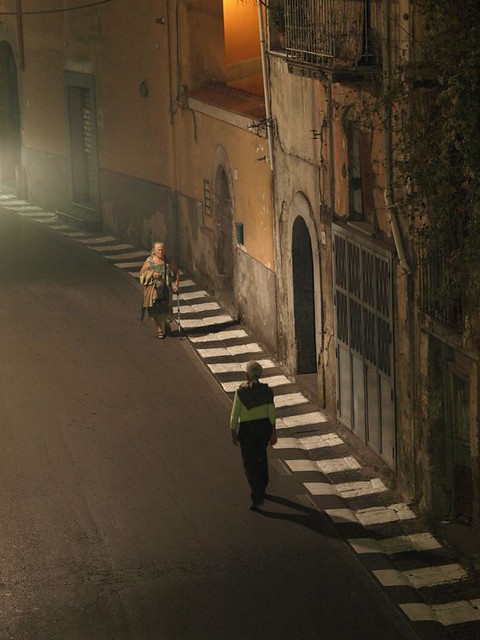
A couple of the portrait orientation ones are shown here.

Olympus OM 21mm – dark alley graffiti art:

OM 21mm

Leica D 25mm after sunset at f/1.4 ISO 400 1/125th sec in 16:9 image aspect ratio – I must say, I love that capability of the GH-1 to change aspect ratios without just cropping images, as you suddenly gain a bit more width to your lens, and this format is more suited to telling stories.

Leica

One other little bug seemed to be that “check lens is attached properly” error which turns off the display – this came up only once – when I was attempting to AF the Leica 25mm to its closest focus for the flowers and I was a bit too close.

To see all these shots from today’s solo photowalk, see here.


Capturing studio quality sound for your videos – the Zoom H4N sound recorder

Written by Gary on August 1st, 2009

Now that we are getting cameras with HD video capability and some of us are getting enthused into the prospects of becoming videographers as well as photographers, we need to also look at the other half – the audio recording which is also a critically important aspect of the video but which is rather neglected by the current cameras.

The Panasonic GH-1 Micro Four Thirds camera does its best to make it possible to capture good quality audio without any accessories or post-production.

The GH-1 is the only digital camera with interchangeable lenses which has a built-in stereo mic, external mic input, and a superbly quiet lens, BUT even this camera does not give you adequate control over your audio (unless firmware updates correct this – and hopefully they will soon) – there is no audio level meter and no method to alter these levels as the camera always uses an automatic level.

In addition, no matter how quiet the lens, if one wishes to adjust any other feature on the camera during recording such as manual exposure, the on-board mics will pick up the clicks.

The situation is worse on the other dSLRs with video, as none have silent lenses for AF, and none have built-in stereo mics, only some have an external mic port, and none have manual audio level controls (unless you use the unauthorised, warranty-breaking hack firmware for the Canon 5DMII).

One of the best solutions appears to be using a stand alone audio recording device to simultaneously record audio while the camera records both video and audio. The files can then be easily synchronised in video editing software and the camera’s audio muted.

With this in mind, I have decided to purchase the highly recommended audio recorder – the Zoom H4N which can produce incredible sound with its special stereo mics and with the option of using 2 external mics via XLR inputs including phantom powered mics.

Zoom H4N

This device then allows you to get it close to your subject and away from your camera’s noise (and your noise) and can even record 4 channels and mix them with special effects and preamps before saving them on a SD card as high quality WAV or MP3 files.

The Zoom H4N was particularly designed for musicians so they can plug in their guitars, and there is built-in metronome and tuners to assist them which adds to its versatility.

You can also use this for lectures, etc as it has a nice auto record function which starts recording when a sound level is reached and stops it when silence occurs.

See also:


Nikon announces 2 new dSLRs – D300s and D3000

Written by Gary on July 30th, 2009

Nikon has just announced two more dSLRs to add to their range of DX cropped sensor cameras, and essentially they have just the features we have become accustomed to Nikon producing – a great action/sports dSLR, the D300, made even better but with added HD video although very slow AF and given the existing noisy lenses, the external mic would be a must, and another entry-level dSLR.

The Nikon D300S:

  • 12.3 mpixels DX sensor with 51 AF points (incl. 15 cross-point and with 3D tracking and priority to skin tones)
  • 7fps burst mode (8fps with optional MB-D10 pack) which brings it closer to the Canon 1DMIII’s 10fps burst mode
  • HD video with ext. mic and what appears to be live HDMI output for monitoring which would be very nice, but the contrast detect AF is likely to be VERY slow – Nikon states for tripod use only – so MUCH slower AF than the Panasonic GH-1’s HD video AF capabilities – but some HD video capability is better than no HD video capability in this era, and if you manage its limitations, you can create awesome videos such as here
  • thus it is likely to be one of the best sports cameras but otherwise there is little in the way of exciting innovative features. Its lens mount architecture is unlikely to allow fast AF in HD video unless Nikon decide to change their architecture. And disappointingly, there is still no in-built image stabiliser – but then, as you can only use Nikon F mount lenses anyway, most will buy the VR lenses for this capability – it’s a pity though that prime lenses tend not to have VR.
  • it will be interesting to see if Nikon has improved upon the rather poor video image quality that their D90 and D5000 have when compared to Canon, Panasonic and Olympus
  • at this stage, If I was after a sports camera, this would be high on my list, perhaps no.1 (although I do own a Canon 1DMIII) – it will be interesting to see what Olympus announces in September (as rumours have it), for their E-3 replacement which will be a direct competitor with the D300S. Canon, I am sure will also be thinking its time for a minor upgrade to their 1DMIII – hopefully one which will focus more reliably this time, and presumably with a non-AF HD video mode with HDMI live video out as with the Canon 5DMII
  • see dpreview.com for more details

The Nikon D3000:

  • an entry level 10mp DX sensor, ISO 100-3200, 11 pt AF with 3D tracking, 3fps
  • again, no built-in image stabiliser, no flip out LCD – personally I would go with the Olympus E-620 instead as I value these features
  • no video – but then, if the video capability is going to be sub-optimal why pay for it?
  • no where near the fun factor or exciting innovation like one gets with the Micro Four Thirds system where you can fit almost ANY lens ever made onto them and get HD video
  • but, at the end of the day, many people just think they need to buy Nikon and this cheap camera will help them get their foot in the door
  • see dpreview.com for more info

Autofocus during HD video recording:

  • it appears clear that to achieve the ability to continuously AF during video as video camcorders do, the lens mount requires extra coupling pins to provide additional data coupling AND the lens needs to be specially designed to AF fast with contrast detect AF mechanism, and, preferably should do so silently so the camera mic does not pic up the noise
  • currently there is only one camera system that has these extra lens mount couplings – the Micro Four Thirds system, but unless you use the Panasonic GH-1 combined with the ONLY lens currently designed for HD video, its 14-140mm HD IS kit lens, you won’t get a usable AF during recording. Even lenses designed for contrast detect AF when used on the GH-1 will not give continuous AF but you must press the AF trigger and then you will SEE and HEAR the lens laboriously trying to achieve focus – it will work but is not conducive to nice video. unfortunately, unless Canon, Nikon, Sony, Pentax, and Olympus Four Thirds change the design of their lens mount and introduced new expensive HD lenses, don’t expect to be able to use these cameras like you do a camcorder when it comes to AF.
  • don’t be mislead by marketing hype!
 

Panasonic GH-1 at 1400mm f/8 for close ups of the moon + HD video at 2800mm in 35mm terms!

Written by Gary on July 27th, 2009

After discovering that I couldn’t put OM mounts onto my Four Thirds to Micro Four Thirds adapter with the GH-1 (see my last post), I had to skip using my beautiful Olympus ZD EC-20 2x teleconverter for this little test.

I thus resorted to a weird combination of adapters and lenses in order:

  • Panasonic GH-1
  • Canon EOS to MFT adapter
  • Canon EF 1.4x tele-extender (NB. this would NOT work on a Canon body unless you covered up the contacts!)
  • Olympus OM to Canon EOS adapter
  • T2 to Olympus OM adapter
  • 500mm f/5.6 Maksutov-Cassegrain mirror lens – a relatively cheap one at that!

This combination gives me 1400mm focal length reach in 35mm terms at f/8, but in 2x digital zoom for HD video, I get 2800mm focal length reach at f/8! Just awesome!

GH-1 and maksutov

But how could such a compact, almost hand holdable combination like this allow good image quality?

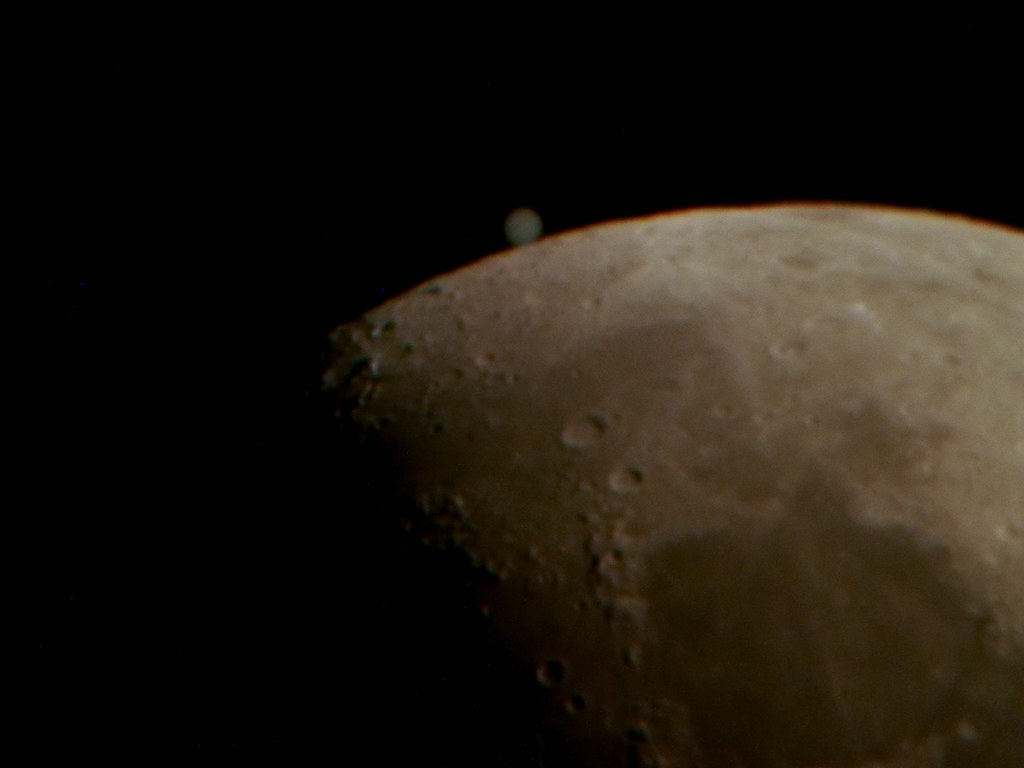
Well, I decided to check it out, with the moon getting some breaks between the clouds I managed to capture a few quick shots on the tripod (albeit a little over-exposed – but surprisingly, no CA!):

GH-1 moon full image but resized for web

and a 100% crop of this image:

100% crop

and, now a very short video taken with 2x digital zoom on and at 1920x1080i in AVHCD mode converted and uploaded to YouTube using the supplied PhotoFunStudio software.

The motion of the moon is because I had the kit on a stationary tripod and as the earth rotates, it makes the moon appear to move – yep… that’s how fast it moves – this is why you get star trails on longer exposures.

Sharpness of such highly magnified images of the moon is not only dependent on the camera, lenses, focus accuracy and camera shake but also on the “atmospheric seeing” – how still the earth’s atmosphere is between you and the moon at that instant, and how much of it we have to get through – in this case quite a bit given the moon was perhaps 40deg above the horizon and not our preferred 90 deg (directly above our head) which has the least amount of atmosphere to get through.

This video is of MUCH lower quality on YouTube. It looks almost perfect on the original files though and these fill your whole computer or TV screen – not just a tiny YouTube frame as seen here! Imagine a video of the original image above but cropped in half with the 2x digital zoom.

Moon at 2800mm focal length on GH-1

You may wish to compare this images with previous images I have taken of the moon or check out other astro images:


Panasonic GH-1 and Panasonic Four Thirds adapter – a little gotcha!

Written by Gary on July 27th, 2009

BEFORE YOU READ ON – THIS APPEARS ONLY TO BE A PROBLEM WITH AF CONFIRM ADAPTERS USED ON THE FOUR THIRDS to MICRO FOUR THIRDS ADAPTER – THE OLYMPUS OM-FT ADAPTER WORKS FINE.

I finally received my Panasonic Four Thirds to Micro Four Thirds adapter last week and it works very well indeed for Four Thirds lenses and I was even surprised that the ZD 50-200mm SWD lens even activated the MF assist automatically on rotating the MF ring even though it’s a SWD lens and not a focus by wire lens – so great news there.

BUT!!!

When using this adapter and then using a Four Thirds adapter to another lens system as well – eg. Olympus OM – the Panasonic GH-1 works for about 5 secs then the screen blacks out and gives the error message – ‘check lens’, even though the menu item, Shoot w/o lens = ON.

This is a real pain and hopefully will be fixed with a firmware update.

HOWEVER, there is a hack around this – press one of the arrow buttons on the rear EXCEPT the AF button (eg. WB button) and the EVF comes back to life and you can take photos BUT you cannot do MF assist even by pressing the AF button.

THUS, at this stage if you have a  non-Four Thirds lens to adapt to the GH-1, you should not rely on using the Four Thirds adapter as an intermediary adapter to an AF-confirm adapter.

You CAN use your Olympus OM to Canon EOS adapter and mate that with a Canon EOS to MFT adapter, and you can even use a Canon tele-extender in the middle (can’t always do that on a Canon even!).

OR, you can buy the Olympus manufactured Olympus OM to MFT adapter.

Post script:
There are more thoughts on this error which suggests it has to do with the lens mount lens release stud’s interaction with the lens adapter – see here.


Panasonic GH-1 as an evolution of the brilliant Olympus C8080-WZ

Written by Gary on July 25th, 2009

The Olympus C8080-WZ digital camera was my first real digital camera and the one that really inspired me to get back into photography after many years.

c8080 vs gh1

c8080 rear

When it came out in 2004, the C8080 was the BEST prosumer 8 mp digital camera out there – mainly because of its brilliant lens – a 5x zoom 28-140mm f/2.4-3.5 combined with a larger than normal digital sensor – a 2/3″ 8.8×6.6mm sensor which gave excellent results at ISO 50-200.

This camera was much cheaper than the early dSLRs of its time when you factored in the capabilities of the lens, not to mention, its superb macro capability and its ability to take high quality lens converters such as the 1.4x TCON-14D and 0.8x WCON-08D.

In addition, it offered some features that were non-existent in dSLRs of the time – silent shutter (still non-existent in dSLRs or MFTs), movie mode, live histogram, live preview with frame assist and MF assist via magnification (this did not hit the dSLRs until Olympus brought it out in their uniquely designed E330 several years later), and a very nice, albeit small, flip out live preview LCD which allowed waist level use (still not available on most dSLRs or MFTs without swiveling the LCD sideways).

For all its great features as a high quality travel camera, the C8080 had a few features that let it down including:

  • slow RAW file write time ~13secs during which you couldn’t view image or take photos
  • inadequate contrast detect AF system would always seem to preferentially focus on a contrasty background than a person’s face
  • MF assist not well implemented

I have written extensively about the C8080-WZ here.

Examples of some of the photos I took with my C8080 are here.

Now in 2009, only 5 years later, and we have the incredible features, functionality and versatility of the Panasonic GH-1 which, not surprisingly, builds on all the features of the C8080 and adds interchangeable lens functionality and a much larger sensor with good ISO to 1600 and even 3200, while the GH-1 camera body is smaller and lighter, although the 14-140mm HD kit lens makes it heavier and longer than the C8080 – but you do get a 10x zoom.

The main feature I miss on the GH-1 is its lack of ability to switch to its silent electronic shutter for still images as well as use in its movie mode.

The main features of the GH-1 which puts it well ahead on the C8080 are:

  • larger sensor with shallower DOF, less noise at high ISO – 1600 is very usable
  • interchangeable lenses which allow almost any lens ever made to be put on it
  • 10x zoom optimised for HD video instead of 5x zoom
  • HD video not just VGA video, and with full manual control and AF
  • much faster image processing and burst rate (3.5fps)
  • much improved electronic viewfinder and LCD
  • much improved contrast detect AF with ability to track any object, or recognise faces
  • image stabiliser in lens, which when combined with high ISO performance, allows much lower light capability hand held
  • smaller, lighter body – especially if used with a smaller, lighter lens
  • ability to apply film modes for a different look

If you can’t take great photos with the GH-1, then don’t be blaming the camera – sure it is not perfect for some situations such as rapidly moving subjects when you haven’t pre-focussed, but for the vast majority of situations, it should be a great tool – it’s up to you to make the most of it.

If all this can happen in 5 years, what will the next 5 years bring – I am sure it won’t be big, heavy camera systems that will be leading the way – technology improvements will mean electronic viewfinders will be even better, small sensors will be even better,contrast detect AF and image processing technology and speed will be even better, in-body image stabilisation will be even better – and RAW mode HD videowho will all this technology benefit the most? Yep, the Micro Four Thirds system!

Why carry bigger, heavier cameras around if they do not bring substantially better photo opportunities or image quality?

Do I have to mention it again?

The BEST camera for the shot is the one you brought with you – and for most people, a smaller, lighter camera will be the one they are most likely to bring.

I think the Micro Four Thirds system has hit a sweet spot – an ideal size for HD video (not too shallow a DOF while giving enough to give a filmic experience), and high quality imagery in a compact package.


Ballarat International Foto Biennale Sept 4-Oct 4th 2009 – dont miss it!

Written by Gary on July 25th, 2009

If you happen to be in Victoria, Australia in September 2009, do yourself a favour, catch some action at the Australian Football League finals (if you can get tickets), check out Spring fashions and then head to one of the more photographic regions of Victoria – the central highlands historic goldfield region and check out the Ballarat International Foto Biennale photographic exhibitions..

If you have the time, head to see the Spring wild flowers in the Grampians and come back to Melbourne via the 12 Apostles and the Great Ocean Road.

Melbourne is THE place to be in September!


New pinhole solutions for the Micro Four Thirds cameras

Written by Gary on July 24th, 2009

As if the vast array of creative possibilities which the Micro Four Thirds system offers through its adaptable lens capability and HD video options with full manual control, along comes another option:

The pinzonie pinhole lens for Leica M mount – of course you will need to buy the Leica M to MFT adapter to use it.

Pinzonie on Leica

The Lensbaby can also do pinhole now as well – you may wish to get LensBaby in Nikon F or Canon EOS mount and then get an adapter for MFT.

You now have at least two paths to pinhole photography using the Panasonic GH-1 or Olympus E-P1.

Other resources on pinhole photography:

Given that such pinhole lenses tend to have an f/stop of about f/128, I am guessing with the GH-1’s ability to do 1/2 sec shutter speed HD videos at ISO 100-1600, this may be the 1st ever practical HD pinhole video camera!


Panasonic GH-1 at ISO 1000 – very yummy indeed!

Written by Gary on July 22nd, 2009

Four Thirds and Micro Four Thirds cameras have always had a slight increase in noise at high ISO compared to larger sensor cameras (a small price to pay for compact size and edge-to-edge sharpness), but the GH-1 has narrowed the gap and is a significant improvement over previous models.

I have only just started playing with my GH-1, and on the weekend, I had the pleasure of being a tour guide for a French student staying with us. After a morning at the zoo, it was time for a nice well deserved lunch I knew she would like, and when they brought the dessert out, I couldn’t resist being a nerd – I had to test the GH-1 out in the available light, hand held at ISO 1000 and 1/80th sec:

Dessert at ISO 1000

The above image has not had any noise reduction or post-processing other than cropping and resize for the internet. It demonstrates how good the image stabiliser is on the Lumix 14-140mm lens, and how well the GH-1 works at ISO 1000.

Now, I wonder when they will create a device that could capture the flavours as well?

Oh, and here’s a pic of a rhino walking near the tour bus at the open range zoo, taken with the GH-1 and 14-140mm lens at 125mm focal length (250mm in 35mm terms) at ISO 320 and 1/160th sec, again, no post-processing other than resize for web (click on image for larger view) – a bit of motion blur from the rhino here, should have put camera in shutter priority at 1/500th sec with auto ISO – next time!:


rhino

Given the popularity and interest in the E-P1 and GH-1, I have created a page to try to bring together most of the resources and information relating to the Micro Four Third system.


Panasonic GH-1 vs Olympus E-P1

Written by Gary on July 21st, 2009

I am at a disadvantage here as I only own the Panasonic GH-1 but not the Olympus E-P1, so I only offer this post to provide some completeness to this series on Micro Four Thirds and as such the information is derived from other sources.

see this blog on myfourthirds.com for one such comparison.

Essentially, it would seem still image quality is similar given they both use the same sensor although different processing engines.

Advantages of the Panasonic GH-1:

  • best video experience with its EVF, faster AF, dedicated 10x zoom HD lens, option of 1080i HD video as well as 720p, external microphone socket, dedicated movie start/stop button, 2x digital zoom, film mode button, image stabilisation during video capture, wind cut option, option of AVHCD vs motion jpeg capture, full manual control, face recognition AF during HD video
  • electronic viewfinder gives more dSLR-like experience with potentially steadier camera and improved usability in bright sunlight, not to mention the very nice automatic manual focus assist feature
  • dial based controls make life easier
  • articulating LCD – brilliant for self-portraits, low or high camera positions, and OK for waist level use
  • excellent 10x IS kit lens combined with 2x digital zoom in video mode essentially provides 20x 28-546mm coverage in 35mm terms, in a relatively small package
  • hand grip is nice
  • lens optical corrections automatically applied in-camera for MFT lenses or optionally in RAW processing software – this is particularly important to manage the compromises made to make MFT lenses smaller and lighter than FT lenses which tends to result in distortions and CA
  • faster contrast detect AF

Advantages of the Olympus E-P1:

  • more compact and pocketable and thus you are even more likely to take it with you and have it out ready to use for those unexpected opportunities which you would otherwise miss
  • small retracting kit lens and even smaller 17mm pancake lens – perhaps better suited for more discrete candid photography
  • built-in image stabiliser – works on EVERY lens but unfortunately not during video capture
  • creative art filters may be even more useful than the GH-1’s film modes, particularly when used in movie mode when post-processing is not the ideal solution.
  • more affordable
  • multiple exposure mode
  • timed BULB exposures
  • contrast detect AF whilst slower seems to be more compatible with Four Thirds lenses

I believe the two cameras are complementary and many people will opt for both (and an Olympus E620 or E30 with ZD 50-200mm lens for those special shallow depth of field nice bokeh shots such as portraits, when size and weight is not so important), and of course, the lenses are interchangeable between the two cameras and they both share the same flash system along with the Four Thirds system.

These are THE MOST ADAPTABLE cameras and can be adapted to use almost ANY lens ever made including Leica M, Leica R, Canon FD, Canon EF (at wide open aperture only), Nikon F, Pentax K, Minolta, Olympus Pen, Olympus OM, Carl Zeiss Contax, Hasselblad, Pentax 6×7, Four Thirds, etc.

Perhaps, someone will make a Canon EOS to MFT adapter with full aperture control such as has been made for Redrock video cameras – see here – should be possible.

Luminous-landscape.com – one of my favorite photo websites, has just posted a review of the GH-1 and named it the current ComboCam King – the 1st ComboCam that “get’s it”.

Unfortunately, according to the Panasonic Japanese website, it appears the GH-1 is on back-order and new models may not be available until Sept 2009 🙁